
agus_maps_flutter 0.1.23  agus_maps_flutter: ^0.1.23 copied to clipboard
High-performance offline vector maps for Flutter using the CoMaps rendering engine.
Early-stage project. Latest stable release is v0.1.17; everything after v0.1.17 is experimental while we migrate sh/ps1 build and release scripts to Dart hooks where compatible.

Agus Maps Flutter
High-performance offline maps for Flutter, powered by the CoMaps/Organic Maps rendering engine.
Demos • Quick Start • Comparison • Docs • Roadmap
What is Agus Maps? #
Agus Maps Flutter is a native Flutter plugin that embeds the powerful CoMaps rendering engine directly into your Flutter app. Unlike tile-based solutions, it renders vector maps with zero-copy GPU acceleration, delivering smooth 60fps performance even on low-end devices.
Note: Agus Maps follows the CoMaps implementation specifically. While CoMaps shares historical heritage with Organic Maps and the original MAPS.ME, we track CoMaps as our upstream reference. CoMaps is actively developed with a focus on community-driven improvements and modern tooling.
🗺️ New to CoMaps? Try it First! #
If you're not familiar with CoMaps, we highly recommend installing it on your phone first to experience the magic firsthand — available on iOS (App Store) and Android (Google Play).
Here's how CoMaps works:
-
Start with a world overview — When you first open CoMaps, you get a low-resolution map of the entire world. This lets you navigate and explore at a global scale without downloading gigabytes of data.
-
Zoom in to discover regions — As you zoom into a specific area (say, your city or a travel destination), CoMaps notices you might want more detail and invites you to download that region's map.
-
Download once, use forever offline — After downloading a region (which typically takes just seconds to a few minutes depending on size), you now have a fully detailed, high-resolution offline copy of that entire area. No internet needed!
-
Explore with incredible detail — Street names, hiking trails, building outlines, cafes, transit stops—all available offline with smooth panning and zooming.
So what's the point of this plugin?
CoMaps is a fantastic standalone app, but what if you want to embed this same powerful offline mapping experience inside your own Flutter app? That's exactly what Agus Maps Flutter does! 🎉
With this plugin, you can:
- Bundle specific region maps with your app (pre-downloaded, ready to go on first launch)
- Let users download additional regions as needed through an in-app UI
- Display fully interactive, offline-capable maps as a Flutter widget
Example use case: Imagine building a bus route app for a specific city. Pre-bundle that city's map file with your app, and your users get instant offline maps—no API keys, no usage fees, no internet required. The map widget integrates seamlessly with your custom UI and business logic.
💡 Tip: Keep maps fresh by pushing updates through App Store/Play Store releases, or host your own map server for full control over regions and update cycles.
Other ideas: hiking apps, travel guides, field data collection, emergency services, tourism kiosks—the possibilities are endless!
📜 Licensing: Agus Maps Flutter is released under the Apache 2.0 License. Please review our NOTICE file for attribution requirements and third-party dependencies. We recommend consulting with a legal professional to understand how these licenses apply to your specific use case.
🚧 Current Status: Proof of Concept #
This project is currently in the proof of concept stage, demonstrating zero-copy (or optimized) rendering integration between the CoMaps engine and Flutter's texture system. The example app successfully runs on:
| Platform | Status | Notes |
|---|---|---|
| iOS | ✅ Working | arm64, x86_64 simulator |
| macOS | ✅ Working | arm64/x86_64, window resize supported |
| Android | ✅ Working | arm64-v8a, armeabi-v7a, x86_64 |
| Windows | ✅ Working | x86_64 only |
| Linux | ✅ Working | x86_64 with EGL/GLES3, tested on WSL2 |
| Windows ARM64 | 🚧 Planned | Blocked on dedicated hardware |
Contributions for Windows ARM64 are welcome from developers with access to the required hardware!
Why Another Map Plugin? #
Most Flutter map solutions either:
- Render tiles in Dart (slow, GC pressure, jank on older devices)
- Use PlatformView embedding (performance overhead, gesture conflicts, "airspace" issues)
Agus Maps takes a different approach: The C++ rendering engine draws directly to a GPU texture that Flutter composites natively—no copies, no bridges, no compromises.
Demos #
The following videos showcase the Agus Maps plugin running on various platforms. To explore the reference implementation producing these results, check out the example app source code.
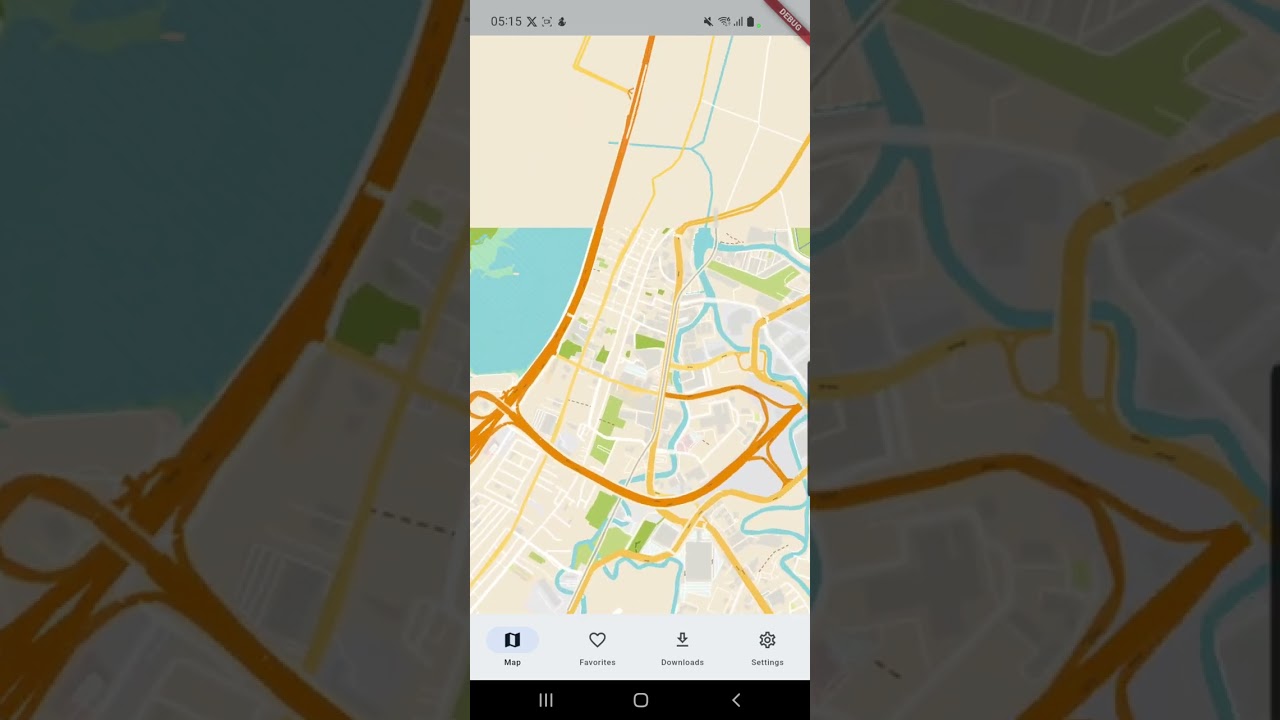
📱 Android |
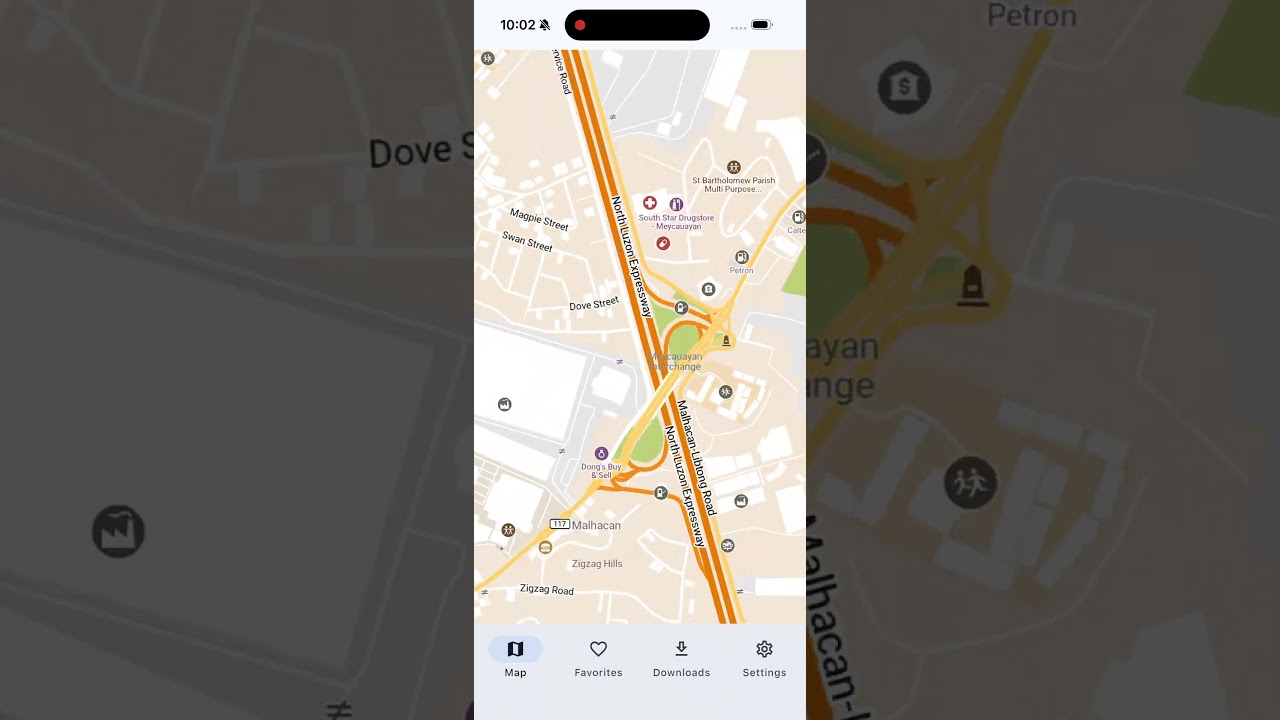
📱 iOS |
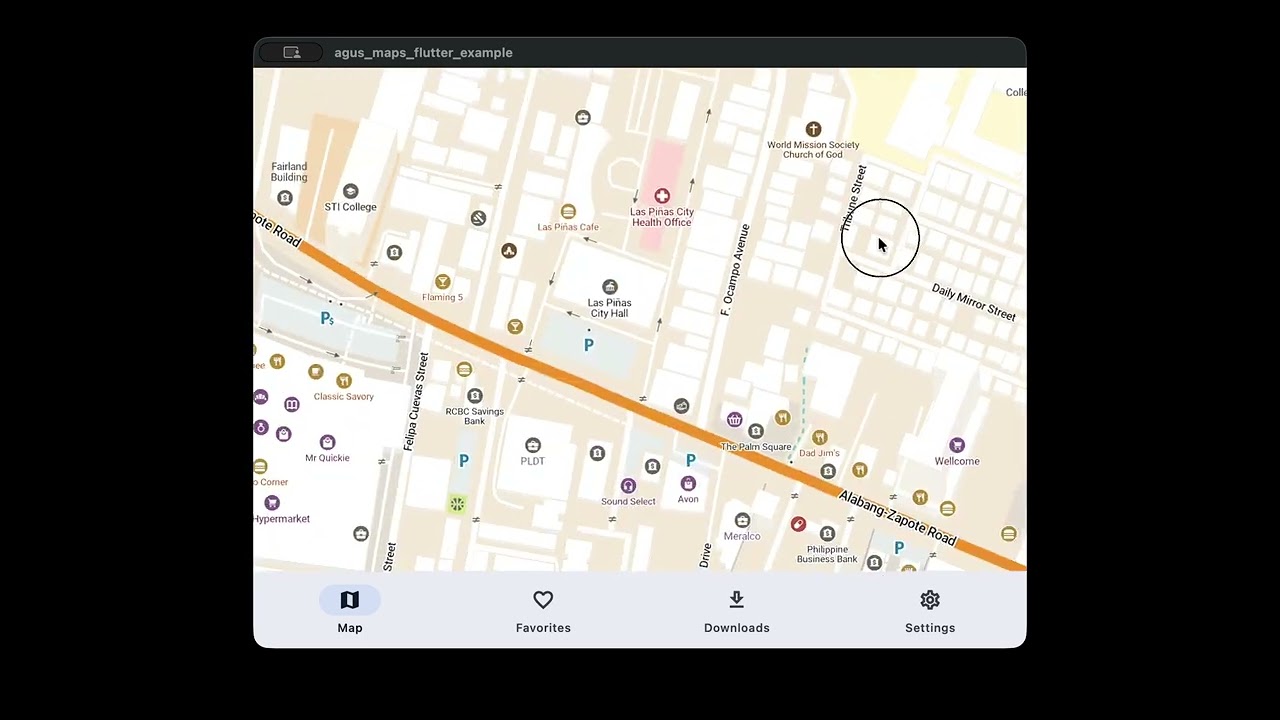
🖥️ macOS |
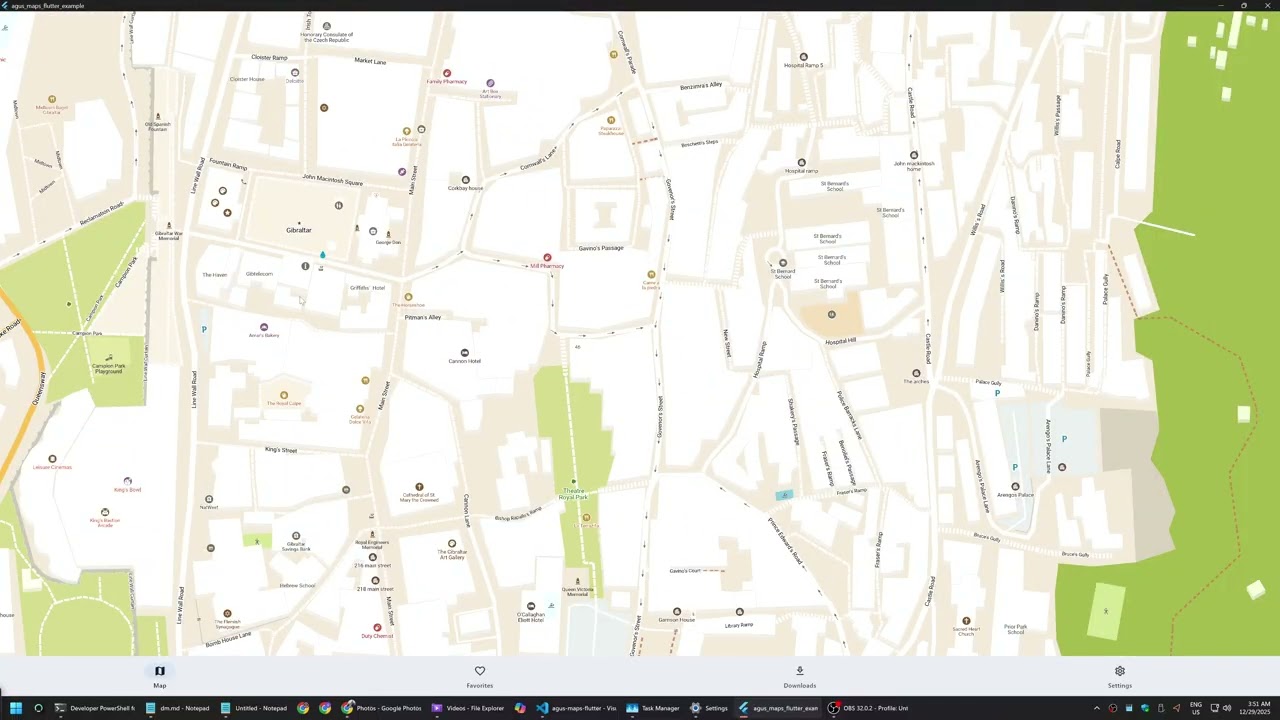
🪟 Windows |
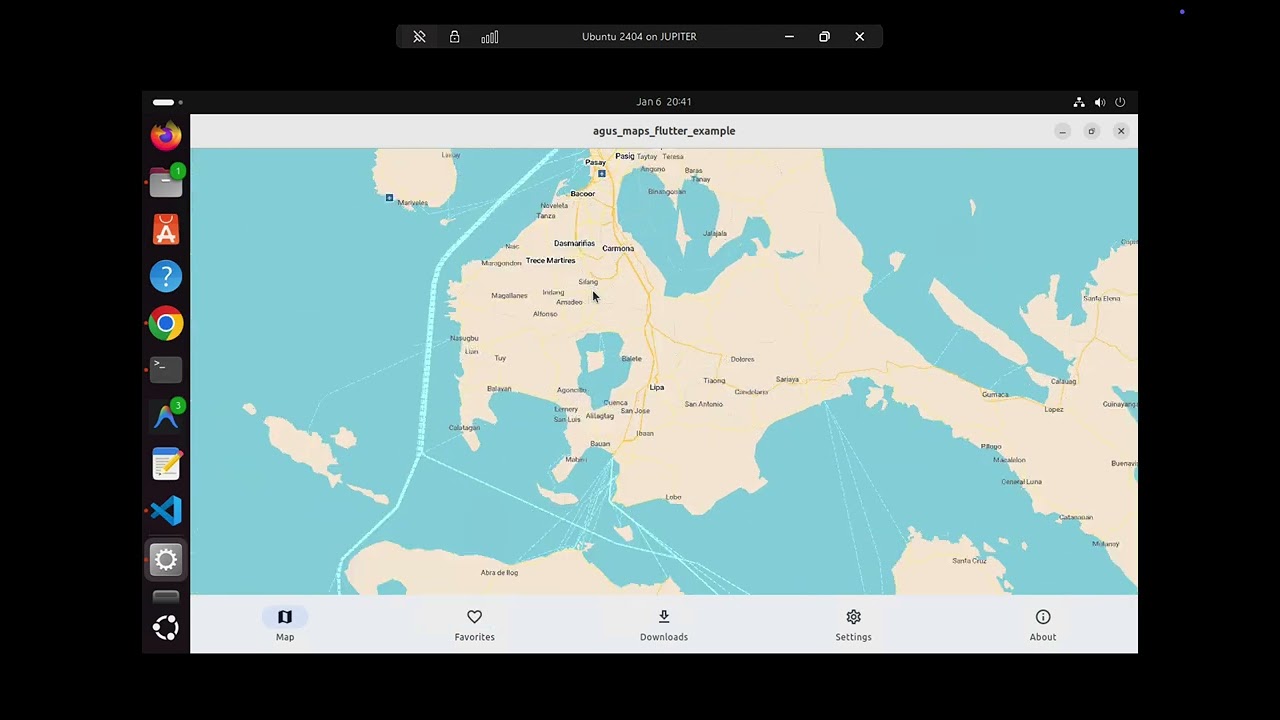
🐧 Linux |
Quick Start #
Note: Agus Maps Flutter is a plugin/package that you integrate into your own Flutter app—we are not building a standalone map application. The example app demonstrates how to use the plugin and serves as a reference implementation.
Installation #
Step 1: Add the Plugin Dependency
Add agus_maps_flutter to your pubspec.yaml:
dependencies:
  agus_maps_flutter: ^X.Y.Z # see https://github.com/agus-works/agus-maps-flutter/releases
Run flutter pub get to download the plugin.
Step 2: Configure Minimum Platform Versions
Agus Maps Flutter requires specific minimum platform versions. You must configure these in your Flutter app before building.
iOS (15.6+)
Update your ios/Podfile to specify the minimum iOS version:
platform :ios, '15.6'
The plugin's podspec enforces iOS 15.6, but explicitly setting it in your Podfile ensures consistency. After updating, run:
cd ios
pod install
cd ..
macOS (12.0+)
Update your macos/Podfile to specify the minimum macOS version:
platform :osx, '12.0'
The plugin's podspec enforces macOS 12.0. After updating, run:
cd macos
pod install
cd ..
Android (API 24+)
⚠️ Critical: You must set minSdk = 24 in your app's android/app/build.gradle or android/app/build.gradle.kts:
Groovy (build.gradle):
android {
    defaultConfig {
        minSdkVersion 24
        // ... other config
    }
}
Kotlin DSL (build.gradle.kts):
android {
    defaultConfig {
        minSdk = 24
        // ... other config
    }
}
Note: If your app's
minSdkis lower than 24, the build will fail. The plugin requires Android API 24 (Android 7.0 Nougat) or higher.
Step 3: Download the SDK
Since agus-maps-flutter contains a high-performance C++ engine, users must manually download the pre-compiled SDK to match their plugin version.
- Go to GitHub Releases.
- Download
agus-maps-sdk-vX.Y.Z.zipfor the version you are using. - Extract this zip file to a location on your machine (e.g.,
~/agus-sdkorC:\agus-sdk).
Step 4: Set Environment Variable
You must set the AGUS_MAPS_HOME environment variable to point to the extracted SDK directory.
macOS/Linux:
export AGUS_MAPS_HOME=/path/to/agus-maps-sdk-vX.Y.Z
Windows (PowerShell):
$env:AGUS_MAPS_HOME = "C:\path\to\agus-maps-sdk-vX.Y.Z"
Windows (CMD):
set AGUS_MAPS_HOME=C:\path\to\agus-maps-sdk-vX.Y.Z
Tip: Add this to your shell profile (
.bashrc,.zshrc, PowerShell profile) so it persists across terminal sessions.
Step 5: Copy Assets
Copy the assets folder from the SDK into your Flutter app's root directory.
# MacOS/Linux
cp -r $AGUS_MAPS_HOME/assets/ my_flutter_app/assets/

# Windows
Copy-Item -Recurse "$env:AGUS_MAPS_HOME\assets" "my_flutter_app\assets"
Then add the assets to your pubspec.yaml. For now, there are a lot of assets that needs to be added. This is the way until we figure out a better way to do this.
flutter:
  assets:
    # sensible default embedded
    - assets/maps/World.mwm
    - assets/maps/WorldCoasts.mwm
    # default regions pre-loaded. optional!
    - assets/maps/Philippines_Luzon_Manila.mwm
    - assets/maps/Philippines_Luzon_North.mwm
    - assets/maps/Philippines_Luzon_South.mwm
    - assets/maps/Philippines_Mindanao.mwm
    - assets/maps/Philippines_Visayas.mwm
    # everything below seems to be required.
    - assets/maps/icudt75l.dat
    - assets/comaps_data/
    - assets/comaps_data/fonts/
    - assets/comaps_data/categories-strings/ar.json/
    - assets/comaps_data/categories-strings/be.json/
    - assets/comaps_data/categories-strings/bg.json/
    - assets/comaps_data/categories-strings/ca.json/
    - assets/comaps_data/categories-strings/cs.json/
    - assets/comaps_data/categories-strings/da.json/
    - assets/comaps_data/categories-strings/de.json/
    - assets/comaps_data/categories-strings/el.json/
    - assets/comaps_data/categories-strings/en-AU.json/
    - assets/comaps_data/categories-strings/en-GB.json/
    - assets/comaps_data/categories-strings/en-US.json/
    - assets/comaps_data/categories-strings/en.json/
    - assets/comaps_data/categories-strings/es-MX.json/
    - assets/comaps_data/categories-strings/es.json/
    - assets/comaps_data/categories-strings/et.json/
    - assets/comaps_data/categories-strings/eu.json/
    - assets/comaps_data/categories-strings/fa.json/
    - assets/comaps_data/categories-strings/fi.json/
    - assets/comaps_data/categories-strings/fr.json/
    - assets/comaps_data/categories-strings/he.json/
    - assets/comaps_data/categories-strings/hi.json/
    - assets/comaps_data/categories-strings/hu.json/
    - assets/comaps_data/categories-strings/id.json/
    - assets/comaps_data/categories-strings/it.json/
    - assets/comaps_data/categories-strings/ja.json/
    - assets/comaps_data/categories-strings/ko.json/
    - assets/comaps_data/categories-strings/lv.json/
    - assets/comaps_data/categories-strings/mr.json/
    - assets/comaps_data/categories-strings/nb.json/
    - assets/comaps_data/categories-strings/nl.json/
    - assets/comaps_data/categories-strings/pl.json/
    - assets/comaps_data/categories-strings/pt-BR.json/
    - assets/comaps_data/categories-strings/pt.json/
    - assets/comaps_data/categories-strings/ro.json/
    - assets/comaps_data/categories-strings/ru.json/
    - assets/comaps_data/categories-strings/sk.json/
    - assets/comaps_data/categories-strings/sr.json/
    - assets/comaps_data/categories-strings/sv.json/
    - assets/comaps_data/categories-strings/sw.json/
    - assets/comaps_data/categories-strings/th.json/
    - assets/comaps_data/categories-strings/tr.json/
    - assets/comaps_data/categories-strings/uk.json/
    - assets/comaps_data/categories-strings/vi.json/
    - assets/comaps_data/categories-strings/zh-Hans.json/
    - assets/comaps_data/categories-strings/zh-Hant.json/
    - assets/comaps_data/countries-strings/ar.json/
    - assets/comaps_data/countries-strings/ast.json/
    - assets/comaps_data/countries-strings/az.json/
    - assets/comaps_data/countries-strings/be.json/
    - assets/comaps_data/countries-strings/ca.json/
    - assets/comaps_data/countries-strings/cs.json/
    - assets/comaps_data/countries-strings/cy.json/
    - assets/comaps_data/countries-strings/da.json/
    - assets/comaps_data/countries-strings/de.json/
    - assets/comaps_data/countries-strings/default.json/
    - assets/comaps_data/countries-strings/el.json/
    - assets/comaps_data/countries-strings/en.json/
    - assets/comaps_data/countries-strings/es.json/
    - assets/comaps_data/countries-strings/et.json/
    - assets/comaps_data/countries-strings/eu.json/
    - assets/comaps_data/countries-strings/fa.json/
    - assets/comaps_data/countries-strings/fi.json/
    - assets/comaps_data/countries-strings/fr.json/
    - assets/comaps_data/countries-strings/he.json/
    - assets/comaps_data/countries-strings/hu.json/
    - assets/comaps_data/countries-strings/ia.json/
    - assets/comaps_data/countries-strings/id.json/
    - assets/comaps_data/countries-strings/it.json/
    - assets/comaps_data/countries-strings/ja.json/
    - assets/comaps_data/countries-strings/kab.json/
    - assets/comaps_data/countries-strings/ko.json/
    - assets/comaps_data/countries-strings/lt.json/
    - assets/comaps_data/countries-strings/mr.json/
    - assets/comaps_data/countries-strings/nb.json/
    - assets/comaps_data/countries-strings/nl.json/
    - assets/comaps_data/countries-strings/pl.json/
    - assets/comaps_data/countries-strings/pt.json/
    - assets/comaps_data/countries-strings/ro.json/
    - assets/comaps_data/countries-strings/ru.json/
    - assets/comaps_data/countries-strings/sk.json/
    - assets/comaps_data/countries-strings/sr.json/
    - assets/comaps_data/countries-strings/sr_Latn.json/
    - assets/comaps_data/countries-strings/sv.json/
    - assets/comaps_data/countries-strings/th.json/
    - assets/comaps_data/countries-strings/tr.json/
    - assets/comaps_data/countries-strings/uk.json/
    - assets/comaps_data/countries-strings/vi.json/
    - assets/comaps_data/countries-strings/zh-Hans.json/
    - assets/comaps_data/countries-strings/zh-Hant.json/
    - assets/comaps_data/symbols/
    - assets/comaps_data/symbols/6plus/
    - assets/comaps_data/symbols/6plus/dark/
    - assets/comaps_data/symbols/6plus/light/
    - assets/comaps_data/symbols/default/
    - assets/comaps_data/symbols/hdpi/
    - assets/comaps_data/symbols/hdpi/dark/
    - assets/comaps_data/symbols/hdpi/light/
    - assets/comaps_data/symbols/mdpi/
    - assets/comaps_data/symbols/mdpi/dark/
    - assets/comaps_data/symbols/mdpi/light/
    - assets/comaps_data/symbols/xhdpi/
    - assets/comaps_data/symbols/xhdpi/dark/
    - assets/comaps_data/symbols/xhdpi/light/
    - assets/comaps_data/symbols/xxhdpi/
    - assets/comaps_data/symbols/xxhdpi/dark/
    - assets/comaps_data/symbols/xxhdpi/light/
    - assets/comaps_data/symbols/xxxhdpi/
    - assets/comaps_data/symbols/xxxhdpi/dark/
    - assets/comaps_data/symbols/xxxhdpi/light/
    - assets/comaps_data/styles/
    - assets/comaps_data/styles/default/
    - assets/comaps_data/styles/default/include/
    - assets/comaps_data/styles/default/light/
    - assets/comaps_data/styles/default/light/symbols/
    - assets/comaps_data/styles/default/light/symbols-ad/
    - assets/comaps_data/styles/default/dark/
    - assets/comaps_data/styles/default/dark/symbols/
    - assets/comaps_data/styles/default/dark/symbols-ad/
    - assets/comaps_data/styles/vehicle/
    - assets/comaps_data/styles/vehicle/include/
    - assets/comaps_data/styles/vehicle/light/
    - assets/comaps_data/styles/vehicle/dark/
    - assets/comaps_data/styles/outdoors/
    - assets/comaps_data/styles/outdoors/include/
    - assets/comaps_data/styles/outdoors/light/
Step 6: Build and Run
flutter run
The build system will automatically find the binaries and headers using AGUS_MAPS_HOME.
Quick Test: Quickstart Example App #
Before integrating Agus Maps into your own Flutter app, you can test your development environment by downloading and building the compact quickstart example app:
Download: Quickstart Example App (vX.Y.Z)
This is a simple Flutter app that demonstrates the basic Agus Maps integration and can help verify that your setup is correct for any supported platform target (Android, iOS, macOS, Windows, or Linux).
Requirements:
- Follow Steps 1-4 above (add plugin dependency, configure platform versions, download SDK, set
AGUS_MAPS_HOME) - Extract the quickstart app archive
- Set
AGUS_MAPS_HOMEto point to your extracted SDK directory (same as Step 4) - Build and run for your target platform:
flutter run -d <device>
Note: The quickstart app requires a valid
AGUS_MAPS_HOMEenvironment variable pointing to the extracted SDK directory (see Step 4 above). If the build fails, verify thatAGUS_MAPS_HOMEis set correctly and the SDK binaries are present.
If you can successfully build and run the quickstart app, your development environment is correctly configured and ready for integrating Agus Maps into your own Flutter application!
Upgrading the Plugin #
⚠️ Important: When upgrading
agus_maps_flutterto a new version, you must also download the new SDK and update yourAGUS_MAPS_HOMEvariable.
Upgrade steps:
-
Update the version in your
pubspec.yaml:dependencies: agus_maps_flutter: ^X.Y.Z # New version -
Run
flutter pub get -
Download the matching SDK (
agus-maps-sdk-vX.Y.Z.zip) from GitHub Releases. -
Extract it to a new directory (e.g.,
agus-maps-sdk-vX.Y.Z). -
Update your environment variable
AGUS_MAPS_HOMEto point to the new directory. -
Copy the new assets to your app root (overwriting old ones).
-
Clear cached headers (iOS/macOS only):
# Clear stale headers from pub cache rm -rf ~/.pub-cache/hosted/pub.dev/agus_maps_flutter-*/macos/Headers rm -rf ~/.pub-cache/hosted/pub.dev/agus_maps_flutter-*/macos/Frameworks rm -rf ~/.pub-cache/hosted/pub.dev/agus_maps_flutter-*/ios/Headers rm -rf ~/.pub-cache/hosted/pub.dev/agus_maps_flutter-*/ios/Frameworks -
Rebuild your app:
flutter clean
flutter pub get

# For macOS:
cd macos && AGUS_MAPS_HOME=/path/to/new-sdk pod install && cd ..

# For iOS:
cd ios && AGUS_MAPS_HOME=/path/to/new-sdk pod install && cd ..

flutter run
⚠️ iOS/macOS Note: The plugin caches native headers from
AGUS_MAPS_HOMEduringpod install. When upgrading SDK versions or switching SDK paths, you must clear the cached headers (step 7) to avoid build failures with "file not found" errors. See Troubleshooting for details.
Alternative: Vendored Plugin #
For projects that need to vendor the plugin locally (offline builds, custom modifications):
-
Clone or download the plugin into your project:
cd your_app mkdir packages git clone https://github.com/agus-works/agus-maps-flutter.git packages/agus_maps_flutter -
Download and extract the SDK to a global location:
curl -L -o sdk.zip https://github.com/agus-works/agus-maps-flutter/releases/download/vX.Y.Z/agus-maps-sdk-vX.Y.Z.zip unzip sdk.zip -d ~/agus-sdk export AGUS_MAPS_HOME=~/agus-sdk/agus-maps-sdk-vX.Y.Z -
Reference the local plugin in your
pubspec.yaml:dependencies: agus_maps_flutter: path: packages/agus_maps_flutter -
Copy assets to your app:
cp -r $AGUS_MAPS_HOME/assets/comaps_data assets/ cp -r $AGUS_MAPS_HOME/assets/maps assets/ -
Add assets to your
pubspec.yamland build.
Note: The
assets/maps/directory contains the ICU data file and is where downloaded MWM map files will be stored. You can pre-bundle specific region maps here.
Basic Usage #
import 'package:agus_maps_flutter/agus_maps_flutter.dart';

// Initialize the engine (call once at app startup)
await agus_maps_flutter.initWithPaths(dataPath, dataPath);
agus_maps_flutter.loadMap(mapFilePath);

// Add the map widget
AgusMap(
  initialLat: 36.1408,
  initialLon: -5.3536,
  initialZoom: 14,
  userScale: 1.0, // Optional: adjust label scale (DPI-aware)
  onMapReady: () => print('Map is ready!'),
)
Programmatic Control #
final controller = AgusMapController();

AgusMap(
  controller: controller,
  // ...
)

// Move the map
controller.moveToLocation(40.4168, -3.7038, 12);
See the example app for a complete working demo showing all plugin features.
For Plugin Users: The example app source code in
./example/is your best reference for integrating Agus Maps into your own Flutter application.
Comparison with Other Solutions #
| Feature | Agus Maps | flutter_map | google_maps_flutter | mapbox_gl |
|---|---|---|---|---|
| Rendering | Native GPU (zero-copy*) | Dart/Skia | PlatformView | PlatformView |
| Offline Support | ✅ Full | ✅ With tiles | ❌ Limited | ✅ With SDK |
| Performance | ⭐⭐⭐⭐⭐ | ⭐⭐⭐ | ⭐⭐⭐⭐ | ⭐⭐⭐⭐ |
| Memory Usage | Very Low | High (GC) | Medium | Medium |
| License | Apache 2.0 | BSD | Proprietary | Proprietary |
| Pricing | Free | Free | Usage-based | Usage-based |
| Data Source | OpenStreetMap | Any tiles | Mapbox | |
| Widget Integration | ✅ Native | ✅ Native | ⚠️ PlatformView | ⚠️ PlatformView |
| Platforms | Android, iOS, macOS, Windows, Linux | All | Android, iOS | Android, iOS |
*Zero-copy on iOS, macOS, Android. Windows uses WGL_NV_DX_interop when available (otherwise CPU copy). Linux uses CPU-mediated transfer.
Platform Support #
| Platform | Architecture | Rendering | Zero-Copy |
|---|---|---|---|
| iOS | arm64, x86_64 (sim) | Metal | ✅ Yes (IOSurface) |
| macOS | arm64, x86_64 | Metal | ✅ Yes (IOSurface) |
| Android | arm64-v8a, armeabi-v7a, x86_64 | OpenGL ES | ✅ Yes (SurfaceTexture) |
| Windows | x86_64 only | OpenGL + D3D11 | ⚠️ Conditional (WGL_NV_DX_interop or CPU copy) |
| Linux | x86_64 | EGL + OpenGL ES 3.0 | ❌ No (CPU-mediated) |
Windows/Linux Note: ARM64 Windows (Snapdragon X, etc.) is not currently supported due to lack of testing hardware. Windows uses WGL_NV_DX_interop for zero-copy when supported by the driver; otherwise it falls back to CPU-mediated
glReadPixels()(~2-5ms per frame). Linux usesFlPixelBufferTexture- zero-copy texture sharing isn't available because Flutter's Linux embedder doesn't support direct GL texture sharing. See Linux Implementation for details. Contributions welcome!
Pros ✅ #
- Truly offline — No API keys, no usage limits, no internet dependency
- Best-in-class performance — The battle-tested Drape engine, refined through MAPS.ME → Organic Maps → CoMaps
- Privacy-first — No telemetry, no tracking, data stays on device
- Compact map files — Entire countries in tens of MB (Germany ~800MB, Gibraltar ~1MB)
- Free forever — Open source, Apache 2.0 license
- Flutter-native composition — No PlatformView overhead, works perfectly with overlays
Cons ⚠️ #
- Limited styling — Uses Organic Maps' cartographic style (not customizable yet)
- No real-time traffic — Offline-first design means no live data
- Windows zero-copy (conditional) — Uses WGL_NV_DX_interop when available; otherwise falls back to CPU copy
- Windows x86_64 only — ARM64 Windows not yet supported
- MWM format required — Must use pre-generated map files (not arbitrary tile servers)
- Early stage — Search and routing APIs not yet exposed
Why It's Efficient #
Agus Maps achieves excellent performance on older devices (tested on Samsung Galaxy S10) through architectural choices that minimize resource usage:
| Aspect | How We Achieve It | Learn More |
|---|---|---|
| Memory | Memory-mapped files (mmap) — only viewed tiles loaded into RAM | Details |
| Battery | Event-driven rendering — CPU/GPU sleep when map is idle | Details |
| CPU | Multi-threaded — heavy work on background threads, UI never blocked | Details |
| Startup | One-time asset extraction, cached on subsequent launches | Details |
Zero-Copy Architecture (iOS, macOS, Android) #
flowchart TB
    subgraph traditional["Traditional Map App"]
        direction TB
        T1["Download tiles"] --> T2["Decode images"]
        T2 --> T3["Store in RAM"]
        T3 --> T4["Copy to GPU"]
        T4 --> T5["Render"]
    end

    subgraph agus["Agus Maps"]
        direction TB
        A1["Load from disk<br/>(memory-mapped)"] --> A2["Direct to GPU"]
        A2 --> A3["Render"]
    end

    traditional ~~~ agus
| Traditional Map App | Agus Maps | |
|---|---|---|
| RAM Usage | ~100MB | ~20MB |
| Behavior | Always polling | Sleep when idle |
Windows Architecture (x86_64) #
Windows prefers zero-copy via WGL_NV_DX_interop. This allows direct GPU-to-GPU memory sharing between OpenGL (CoMaps) and DirectX 11 (Flutter).
Primary Zero-Copy Pipeline:
flowchart TB
    subgraph ZeroCopy["Zero-Copy Path (Primary)"]
        direction TB
        W1["CoMaps (OpenGL)"] -->|"glBlitFramebuffer<br>(GPU Copy)"| W2["Interop Texture<br>(WGL_NV_DX_interop)"]
        W2 -.->|"Shared VRAM"| W3["D3D11 Shared Texture"]
        W3 -->|"DXGI Handle"| W4["Flutter Engine"]
    end
Fallback CPU Pipeline (used if interop is unavailable):
flowchart TB
    subgraph pipeline["Fallback Path"]
        direction TB
        W1["CoMaps<br/>(OpenGL via WGL)"]
        W1 -->|"glReadPixels<br/>(GPU→CPU, ~2-5ms)"| W2["CPU Buffer<br/>(RGBA→BGRA + Y-flip)"]
        W2 -->|"D3D11 staging texture"| W3["D3D11 Shared Texture<br/>(DXGI handle)"]
        W3 -->|"Zero-copy to Flutter"| W4["Flutter Texture Widget"]
    end
Performance: Still achieves 60fps on modern hardware with ~30-40MB RAM for the rendering pipeline.
Note: The map data itself (MWM files) still uses memory-mapping. The CPU-mediated transfer only affects frame display and is used only when WGL_NV_DX_interop is unavailable.
Windows Diagnostics Overlay (Native) #
Windows builds include a small, native overlay rendered by OpenGL into the map texture (upper-right corner) to show the active renderer and transfer path:
Renderer: OpenGL (WGL)Transfer: Zero-copy (WGL_NV_DX_interop)orTransfer: CPU copy (glReadPixels)Keyed mutex: On/Off
Disable the overlay by setting:
AGUS_MAPS_WIN_OVERLAY=0
Developers can add custom overlay lines by calling AgusWglContextFactory::SetOverlayCustomLines() in the native layer.
Documentation #
| Document | Description |
|---|---|
| GUIDE.md | Architectural blueprint and design philosophy |
| doc/API.md | API Reference - All existing APIs exposed to Flutter and roadmap for future additions |
| doc/ARCHITECTURE-ANDROID.md | Deep dive: memory efficiency, battery savings, how it works |
| doc/COMAPS-ASSETS.md | CoMaps asset management: data files, localization, MWM maps |
| doc/IMPLEMENTATION-ANDROID.md | Android build instructions, debug/release modes |
| doc/IMPLEMENTATION-IOS.md | iOS build instructions and Metal integration |
| doc/IMPLEMENTATION-MACOS.md | macOS build instructions, window resize handling |
| doc/IMPLEMENTATION-WIN.md | Windows build instructions, x86_64 only |
| doc/RENDER-LOOP.md | Render loop comparison across all platforms |
| doc/CONTRIBUTING.md | Developer setup, commit guidelines, known issues |
| example/ | Working demo application with downloads manager |
Technical Deep Dives #
For those who want to understand why Agus Maps is efficient:
- How Memory Mapping Works — Why we use 10x less RAM than tile-based solutions
- Battery Efficiency — Event-driven rendering that sleeps when idle
- Multi-threaded Architecture — How we keep the UI thread responsive
- Old Phone Compatibility — Tested on Samsung Galaxy S10 and similar devices
Known Issues & Optimization Opportunities #
We track efficiency-related issues in dedicated files. See CONTRIBUTING.md for the full list, including:
- Debug logging overhead in release builds
- EGL context recreation on app resume
- Touch event throttling considerations
Roadmap #
See API.md for detailed roadmap of planned API features including search, routing, bookmarks, location services, and more. The roadmap includes implementation priority recommendations and difficulty assessments.
Map Data #
Agus Maps uses MWM files from OpenStreetMap, hosted on the official CoMaps CDN servers.
CoMaps CDN Servers #
The CoMaps CDN provides MWM files with enhanced features not available in older Organic Maps mirrors:
- Improved routing engine with conditional restrictions
- More dense altitude contour lines
- Additional POIs (EV charging stations, vending machines, etc.)
- Enhanced map colors for light/dark modes
- Better search functionality
| Server | URL | Notes |
|---|---|---|
| CoMaps MapGen Finland | https://mapgen-fi-1.comaps.app/ |
Primary (listed by metaserver) |
| CoMaps CDN US | https://cdn-us-2.comaps.tech/ |
|
| CoMaps CDN Germany | https://comaps.firewall-gateway.de/ |
URL Structure: <base>/maps/<version>/<file>
Example: https://mapgen-fi-1.comaps.app/maps/260101/Gibraltar.mwm
Note: The CoMaps metaserver at
https://cdn-us-1.comaps.app/serversreturns the currently active download servers.
Diagnostic Tool #
Run the mirror availability diagnostic tool to check server status:
dart run tool/check_mirrors.dart
In-App Download #
In-app (Example): Use the example app's Downloads tab to browse and download regions. The app automatically selects the fastest available CoMaps CDN server.
The example app bundles a small Gibraltar map for testing.
Host Your Own Map Server (Recommended for Production) #
For production apps, we strongly recommend hosting your own MWM file server rather than relying on third-party mirrors. This gives you:
- Reliability — No dependency on external services
- Control — Update maps on your own schedule
- Customization — Generate maps for specific regions or with custom data
- Compliance — Meet data residency requirements
Overview
The map generation pipeline consists of:
- Input Data: OpenStreetMap
.osm.pbfplanet dumps (or regional extracts) - Generator Tools: C++ binaries (
generator_tool,world_roads_builder_tool) built from CoMaps - Python Driver:
maps_generatorCLI that orchestrates the generation process - Output:
.mwmbinary map files ready for serving
Quick Start: Generate Maps for a Single Region
# 1. Clone CoMaps and build the generator tools
git clone https://codeberg.org/comaps/comaps.git
cd comaps
./tools/unix/build_omim.sh -r generator_tool
./tools/unix/build_omim.sh -r world_roads_builder_tool

# 2. Set up the Python environment
cd tools/python
pip install -r maps_generator/requirements_dev.txt
cp maps_generator/var/etc/map_generator.ini.default maps_generator/var/etc/map_generator.ini

# 3. Edit map_generator.ini:
#    - Set OMIM_PATH to your CoMaps repo root
#    - Set PLANET_URL to your regional .osm.pbf (e.g., from Geofabrik)
#    Example: PLANET_URL=https://download.geofabrik.de/europe/germany-latest.osm.pbf

# 4. Generate maps (example: Germany without coastlines)
python3 -m maps_generator --countries="Germany_*" --skip="Coastline"
Output files will be in maps_build/YYYY_MM_DD__HH_MM_SS/YYMMDD/*.mwm
Full Planet Generation (CI/CD Pipeline)
For automated full-planet generation, CoMaps uses a multi-stage Forgejo Actions workflow:
| Stage | Purpose | Resources |
|---|---|---|
| update-planet-pbf | Download/update OSM planet dump (~70GB) | pyosmium-up-to-date |
| update-planet-o5m | Convert PBF to O5M format for faster processing | osmconvert, osmupdate |
| update-wiki | Fetch Wikipedia descriptions for POIs | wikiparser |
| update-subways | Generate metro/subway layer | subways |
| update-tiger | US address data from Nominatim | address_parser_tool |
| update-isolines | Altitude contour lines from SRTM | topography_generator_tool |
| generate-maps | Run the full map generation | maps_generator Python CLI |
| upload-maps | Upload to CDN servers via rclone | rclone copy |
Hardware requirements for full planet:
- ~4TB storage (planet files, intermediate data, output)
- 96+ CPU cores recommended (generation is parallelized)
- 128GB+ RAM
- ~28 days for full generation with all features
Hosting Your MWM Server
The server structure expected by apps is:
https://your-server.com/maps/
├── YYMMDD/                    # Version date folder (e.g., 250101)
│   ├── World.mwm
│   ├── WorldCoasts.mwm
│   ├── Germany_Baden-Wurttemberg.mwm
│   ├── Germany_Bavaria.mwm
│   └── ... (other .mwm files)
└── countries.txt              # Index of available maps
Simple setup with nginx:
apt install nginx
mkdir -p /var/www/html/maps/YYMMDD
cp *.mwm /var/www/html/maps/YYMMDD/
# Configure your app to use https://your-server.com/maps/
Resources
- maps_generator README — Detailed usage and examples
- map-generator.yml workflow — Full CI/CD pipeline reference
- Docker image — Pre-built container with all dependencies
- Geofabrik Downloads — Regional OSM extracts for faster testing
- geojson.io — Create custom region boundaries
Tip: Configure your app to use your custom server by modifying the mirror URLs in the download manager or
MirrorService.
License #
Apache License 2.0

Copyright 2024 Agus App

Licensed under the Apache License, Version 2.0
Understanding Your Rights & Obligations #
This plugin and its dependencies use various open-source licenses including Apache 2.0, MIT, BSD, and others. Before using this plugin in your project—especially for commercial applications—please:
- Read the LICENSE file — The full Apache 2.0 license text
- Read the NOTICE file — Attribution requirements and third-party dependency licenses
- Consult a legal professional — To understand how these licenses apply to your specific use case
The NOTICE file includes:
- Detailed breakdown of all third-party libraries and their licenses
- Attribution requirements for OpenStreetMap data (ODbL)
- Sample attribution text you may reference
- License compatibility summary
⚠️ Disclaimer: The information in our NOTICE file is provided for informational purposes only and does not constitute legal advice. We encourage all developers to perform their own due diligence and seek qualified legal counsel for licensing questions.
Heritage #
This project incorporates code from CoMaps (Apache 2.0), which is our primary upstream reference. CoMaps itself descends from Organic Maps and the original MAPS.ME, all under Apache 2.0.
Built with ❤️ for the Flutter community
Metadata
Publisher
unverified uploader
Weekly Downloads
Metadata
High-performance offline vector maps for Flutter using the CoMaps rendering engine.
Homepage
Repository (GitHub)
View/report issues
Documentation
License
 Apache-2.0 (license)
Dependencies
archive, ffi, flutter, hooks, http, path, plugin_platform_interface, shared_preferences, yaml
More
Packages that depend on agus_maps_flutter
Packages that implement agus_maps_flutter

