
Flutter Deferred Deep Link




A powerful yet lightweight Flutter plugin for deferred deep linking built for real production apps. It helps you extract referral information and deep link parameters on both Android and iOS without heavy attribution SDKs.
📌 What Is Deferred Deep Linking?
Deferred deep linking allows your user to install your app after clicking a link, and still land on the correct screen or carry referral metadata after install.
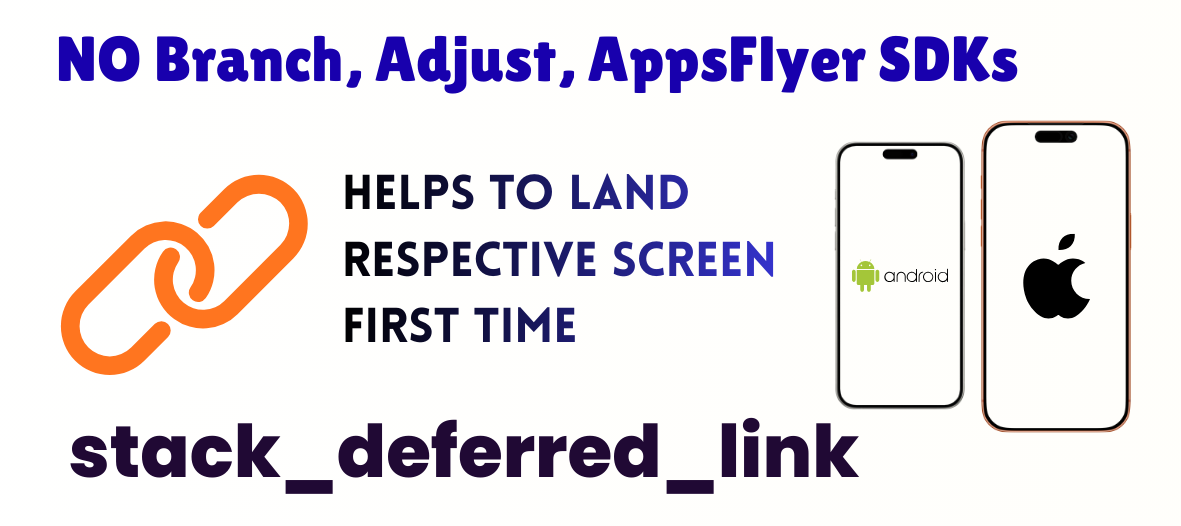
📘 How It Works — Deferred Deep Linking (Android + iOS)
If the user has not installed the app and they click a deep link, it will first open in the phone’s default browser. From the browser, the system automatically detects the platform (Android or iOS) and redirects the user to the respective store:
Android → Google Play Store
iOS → Apple App Store
After installation and first app launch, the app will be able to read the deferred deep-link parameters and navigate to the exact intended screen inside the app.
This is the core idea of Deferred Deep Linking — opening the correct screen after the app is installed.
If you require direct deep linking (when the app is already installed), you should use packages like app_links or uni_links. This plugin focuses specifically on Deferred Deep Linking, not direct runtime linking.
You do not need Branch, Adjust, AppsFlyer, or any other paid SDK. Everything works using native platform features.
Platform Behavior
Android
We use the Google Play Install Referrer API, which is officially supported by Google. This API lets us read details from:
https://play.google.com/store/apps/details?id=<package>&referrer=<encoded_params>
From the referrer parameter, we decode and route the user to the correct screen.
iOS
Deferred deep linking usually works out-of-the-box for many iOS users. However, for users with iCloud+ Private Relay enabled, their IP address is masked, preventing proper session matching by servers.
To avoid this problem, we use an alternative solution:
✔ The deep link is copied to the clipboard
✔ When the app is opened the first time, we read the clipboard
✔ If the link matches your allowed domains, we extract parameters and navigate to the correct screen
This ensures deferred linking works reliably, even under Private Relay.
Backend Support (Important)
You must handle one small backend/website step:
When a user clicks the deep link, the web page should redirect them to:
Android
https://play.google.com/store/apps/details?id=<your.package>&referrer=<param>%3D<value>
Encode your parameters properly
The app will decode
iOS
Your webpage should ensure the deep link is placed in the clipboard:
example.com?referrer=<value>&page=<screen>
The plugin will read the clipboard to retrieve these values on first app launch.
This plugin solves both platforms:
| Platform | How It Works |
|---|---|
| Android | Uses official Google Play Install Referrer API to read the referrer param from Play Store. |
| iOS | Reads clipboard deep links (URL copied before launching app). Pattern-matches domains, subdomains, and paths, then extracts query parameters. |
🚀 Why Use This Plugin?
✔ Lightweight (no SDKs like Branch / Adjust / AppsFlyer)
✔ 100% Offline, No Network Calls
✔ Zero configuration on backend
✔ Works from 1st launch
✔ Supports unlimited custom query params
✔ Works with any URL structure
✔ Subdomains + www + scheme normalization
✔ Clean, safe architecture with cached responses
🧠 Use Cases
Track marketing campaign using:
?referrer=campaign123
Store affiliate codes
Open after-install screens:
Route iOS users from Safari → clipboard → app
Internal routing: /bonus?referrer=promo50
Attribution without Firebase Dynamic Links / Branch
🏗 Architecture Overview
Flutter App
|
|-- Platform.isAndroid ---------------------------|
|                                                 |
|    Android Native (Kotlin)                      |
|    - InstallReferrerClient                      |
|    - Single connection + retry                  |
|    - Cache result                               |
|    - Return Map to Dart -----> ReferrerInfo     |
|                                                 |
|-- Platform.isIOS --------------------------------|
|                                             |
iOS Clipboard Reader (Dart)                   |
- Reads Clipboard.kTextPlain                  |
- Pattern matcher (domain/path/subdomain)     |
- Parses as URI ----------------> IosClipboardDeepLinkResult
📦 Installation
Add:
dependencies:
  stack_deferred_link: <latest-version>
⚙ Android Setup
The plugin already includes:
implementation "com.android.installreferrer:installreferrer:2.2"
No permissions are required.
🍏 iOS Setup
Nothing special needed.
The plugin uses:
Clipboard.getData(Clipboard.kTextPlain)
This works on all iOS versions supported by Flutter.
🔐 Permissions No permissions required on both platforms.
📚 API Reference
📌 1. Android: getInstallReferrerAndroid()
Reads Google Play Install Referrer once.
final info = await StackDeferredLink.getInstallReferrerAndroid();
Returns: ReferrerInfo
info.installReferrer; // raw "utm_source=...&referrer=..."
info.asQueryParameters; // parsed params Map<String, String>
info.referrerClickTimestampSeconds;
info.installBeginTimestampSeconds;
info.installVersion;info.googlePlayInstantParam;
Example
final info = await StackDeferredLink.getInstallReferrerAndroid();
final params = info.asQueryParameters;

debugPrint(params['referrer']); // campaign123
debugPrint(params['uid']); // optional
Extracting a Single Query Parameter
ReferrerInfo.getParam(key) lets you safely extract a single query parameter from the install referrer string — regardless of how Google Play sends it.
This method works with:
-
Full URLs (https://example.com/path?ref=123)
-
URLs without schemes (example.com/path?ref=123)
-
Subdomains (https://sub.example.com/...)
-
Raw Android referrer strings (utm_source=google&ref=mycode)
-
Any nested query formats
✔ Example (Android Install Referrer)
final info = await StackDeferredLink.getInstallReferrerAndroid();
final ref = info.getParam('ref');
print(ref); // e.g. "promo123"
✔ Example (Multiple params)
final campaign = info.getParam('utm_campaign');
final source = info.getParam('utm_source');
Throws
| Exception | Reason |
|---|---|
UnsupportedError |
Called on iOS/Web/Desktop |
PlatformException |
Play service unavailable, feature not supported |
StateError |
Unexpected parsing issues |
📌 2. iOS: getInstallReferrerIos() Reads clipboard → checks patterns → returns matched deep link + params.
final result = await StackDeferredLink.getInstallReferrerIos(deepLinks: ["https://example.com/profile","example.com","sub.example.com"]);
Returns: IosClipboardDeepLinkResult?
result.fullReferralDeepLinkPath; // full string
result.queryParameters; // parsed params
result.getParam("referrer"); // campaign123
result.getParam("uid");
Matching Rules
Accepts:
http://, https://, or no scheme
Subdomains (m.example.com, sub.example.com)
www. variants
Path must match pattern prefix (optional)
Example
final res = await StackDeferredLink.getInstallReferrerIos(deepLinks: ["example.com", "example.com/profile"]);

if (res != null) {
  final referrer = res.getParam('referrer');
  debugPrint("iOS Referrer: $referrer");
}
🧪 Full Usage Example (Android + iOS)
void main() => runApp(const MyApp());

class MyApp extends StatefulWidget {
  const MyApp({super.key});

  @override State<MyApp> createState() => _MyAppState();
}

class _MyAppState extends State<MyApp> {
  String? status;
  Map<String, String> params = {};

  @override
  void initState() {
    super.initState();
    _init();
  }

  Future<void> _init() async {
    try {
      if (Platform.isAndroid) {
        final info = await StackDeferredLink.getInstallReferrerAndroid();
        params = info.asQueryParameters;
        status = "Android Referrer Loaded";
      } else if (Platform.isIOS) {
        final res = await StackDeferredLink.getInstallReferrerIos(
          deepLinks: ["example.com", "example.com/profile"],
        );
        if (res != null) {
          params = res.queryParameters;
          status = "iOS Clipboard Deep Link Loaded";
        } else {
          status = "No deep link found";
        }
      }
    } catch (e) {
      status = "Error: $e";
    }

    setState(() {});
  }

  @override
  Widget build(BuildContext ctx) {
    return MaterialApp(
      home: Scaffold(
        appBar: AppBar(title: const Text("Stack Deferred Link")),
        body: Padding(
          padding: const EdgeInsets.all(16),
          child: ListView(
            children: [
              Text(status ?? "Loading..."),
              const SizedBox(height: 20),
              const Text("Params:", style: TextStyle(fontSize: 18)),
              ...params.entries.map((e) => Text("${e.key}: ${e.value}")),
            ],
          ),
        ),
      ),
    );
  }
}
🧠 Best Practices
✔ Call API only once on first screen
The plugin caches results automatically.
✔ Store result locally
Install referrer is static and won’t change.
✔ For iOS
Use clipboard reading only on first launch, optional:
await Clipboard.setData(const ClipboardData(text: ""));
🔍 Troubleshooting
❓ Android returns empty referrer
Play Store did not include any referrer parameter.
❓ iOS returns null
Clipboard may be empty or the link does not match any allowed pattern.
❓ iOS parsing fails
Ensure your passed URL patterns include base domains.
❓ Cannot parse URL
Clipboard might contain text that is not a URL.
❓ FAQ
Does this plugin track users?
No. 100% offline. No analytics. No network calls.
Can I clear Android referrer?
No. Google Play controls it. You can ignore it after reading.
Is clipboard reading safe / allowed?
Yes, Flutter allows access to clipboard text.
Can it handle /path/subpath?
Yes. Pattern paths must match prefix.
For more information see https://developer.android.com/google/play/installreferrer