
Privacy Lens
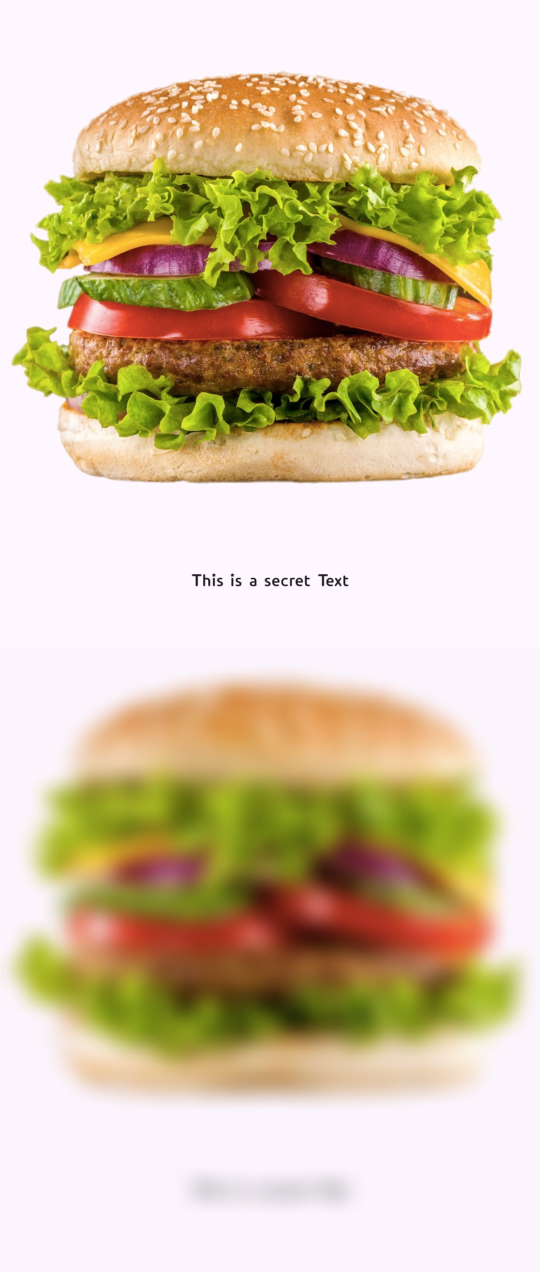
Privacy Lens is a lightweight, zero-dependency Flutter widget that allows you to mask sensitive information (such as credit card numbers, passwords, or personal data) from unauthorized screen captures and screen recordings. It also automatically blurs content when the app is in the background.
🚀 Key Features
- Selective Masking: Protect only specific parts of your UI.
- Auto-Blur on Background: Automatically obscures content when the user switches apps.
- Smooth Animations: Beautiful fade-in/out blur effects.
- Custom Overlays: Add logos, icons, or custom text over the blurred area.
- Debug Control: Option to disable blurring during development for a smoother workflow.
- Zero-Dependency: Lightweight and easy to integrate.
Preview
📥 Installation
Add privacy_lens to your pubspec.yaml file:
dependencies:
  privacy_lens: ^1.0.2
Then, run the following command in your terminal:
flutter pub get
⚡ Usage
Basic Usage
Automatically blurs when the app goes to the background.
import 'package:privacy_lens/privacy_lens.dart';

PrivacyLens(
  child: Text("Sensitive Data: 1234-5678-9012"),
)
Advanced Customization
Show a custom icon and color when the app is protected or backgrounded.
import 'package:privacy_lens/privacy_lens.dart';
PrivacyLens(
  isProtected: true, // Always blurred
  blurStrength: 15.0,
  overlayColor: Colors.blueGrey,
  privacyChild: Icon(Icons.lock, color: Colors.white, size: 50),
  child: MySensitiveWidget(),
)
⚙️ Properties
| Property | Type | Default | Description |
|---|---|---|---|
isProtected |
bool |
false |
If true, the blur effect remains active regardless of the app lifecycle state. |
blurStrength |
double |
10.0 |
Controls the intensity of the blur. Higher values result in a stronger blur effect. |
overlayColor |
Color |
Colors.black |
The tint color applied over the blur effect. Useful for matching your app's theme. |
privacyChild |
Widget? |
null |
A custom widget (e.g., a Lock Icon or Logo) to display in the center when blurred. |
enableInDebug |
bool |
true |
Whether the protection should be active in debug mode. Set to false for a better dev workflow. |
animationDuration |
Duration |
300ms |
The speed of the transition between blurred and unblurred states. |
Note: Even if isProtected is set to false, the widget will automatically apply the blur effect whenever the app lifecycle state changes to inactive or paused (e.g., when the app is in the background or the App Switcher is open).
🛠 Why Privacy Lens?
-
Privacy First: Build trust with your users by ensuring their sensitive data remains invisible during accidental screen captures or malicious screen recordings.
-
Developer Experience: Clean, simple API that integrates seamlessly into your existing widget tree.
📧 Contact & Support
If you have any questions, feedback, or run into issues while using privacy_lens, feel free to reach out:
- Email: loomixdev@gmail.com
- GitHub: https://github.com/oxfaysal
I'm happy to help you with any improvements or fixes!