
particle_image


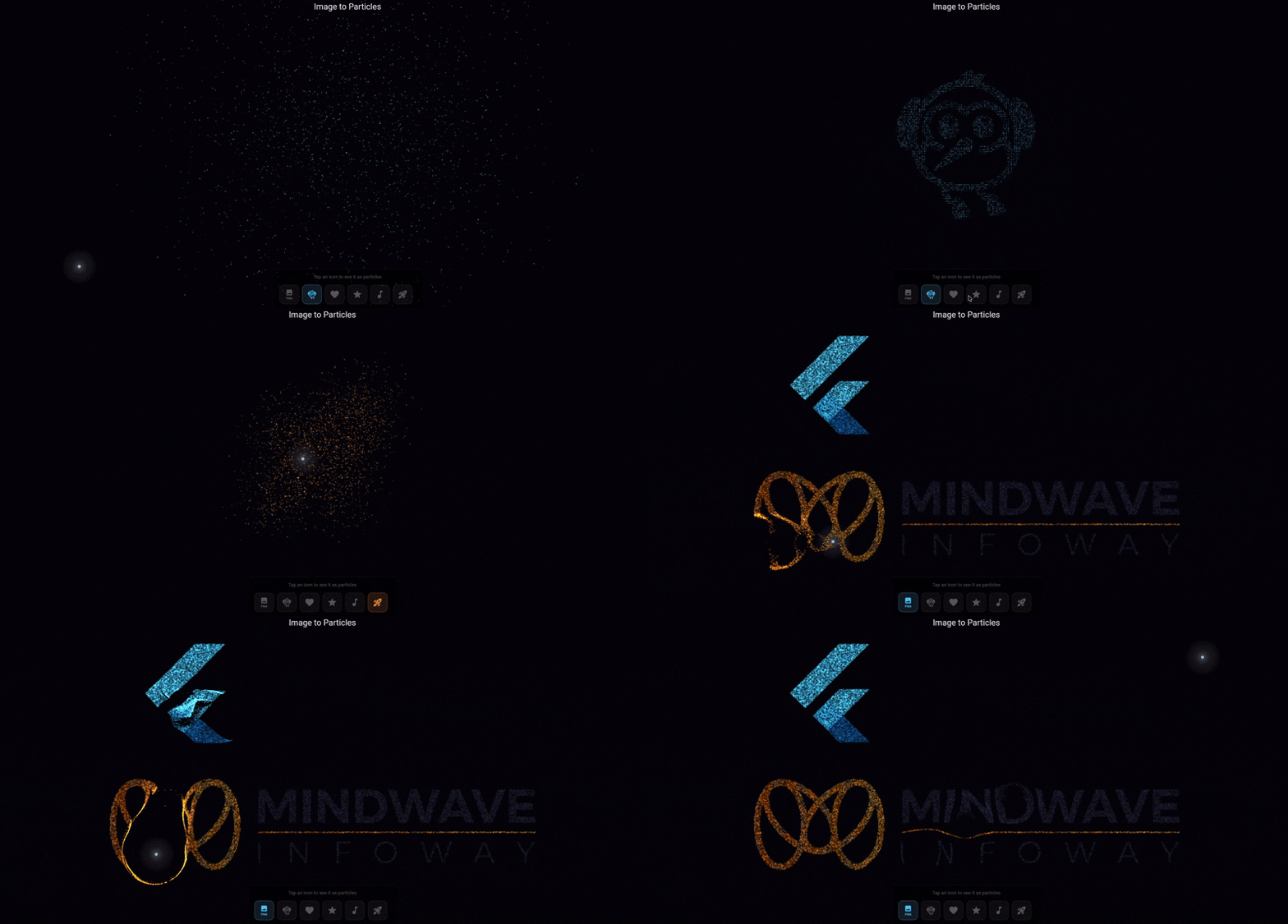
Interactive image-to-particle effect for Flutter. Renders any image as thousands of colored particles that scatter on touch/hover, then reform — with per-pixel color accuracy.
Looking for text-to-particle? See particle_text.
🔴 Live Demo
Move your cursor or touch to scatter the particles!
Preview
Features
- Per-pixel color — each particle takes the color of its source pixel
- Touch & hover interaction — particles scatter and reform
- Auto background detection — automatically filters out solid backgrounds
- Asset & runtime images — load from assets or use any
ui.Image - Dark pixel visibility — dark image content (logos, text) stays visible as particles
- Powered by particle_core — single GPU draw call, 10,000+ particles at 60fps
- Cross-platform — iOS, Android, Web, macOS, Windows, Linux
Getting started
dependencies:
  particle_image: ^0.2.0
Usage
From an ui.Image
import 'package:particle_image/particle_image.dart';

ParticleImage(
  image: myUiImage,
  config: ParticleConfig(sampleGap: 2),
)
From an asset
ParticleImage.asset(
  'assets/logo.png',
  config: ParticleConfig.cosmic(),
)
With configuration
ParticleImage(
  image: myImage,
  config: ParticleConfig(
    sampleGap: 2,          // lower = more particles, denser image
    backgroundColor: Color(0xFF020308),
    mouseRadius: 80,
    repelForce: 8.0,
    maxParticleCount: 50000,
  ),
)
Background detection
Images with solid backgrounds (black, white, etc.) are automatically handled — corner pixels are sampled to detect and filter the background color.
For transparent PNGs, only the alpha channel is used (transparent pixels are skipped).
ParticleConfig options
| Parameter | Type | Default | Description |
|---|---|---|---|
particleCount |
int? |
null |
Fixed count — strict override |
particleDensity |
double |
10000 |
Particles per 100K px² of drawn image area |
maxParticleCount |
int |
50000 |
Hard cap when explicitly set; density can exceed default 50k |
minParticleCount |
int |
1000 |
Lower floor for density-based count |
sampleGap |
int |
2 |
Pixel sampling gap (lower = more target positions) |
mouseRadius |
double |
80.0 |
Pointer repulsion radius (logical px) |
returnSpeed |
double |
0.04 |
Spring return speed (0.01–0.1) |
friction |
double |
0.88 |
Velocity damping (0.8–0.95) |
repelForce |
double |
8.0 |
Pointer repulsion strength (1.0–20.0) |
backgroundColor |
Color |
#020308 |
Canvas background |
pointerGlowColor |
Color |
#C8D2F0 |
Glow orb color |
minParticleSize |
double |
0.4 |
Min particle radius |
maxParticleSize |
double |
2.2 |
Max particle radius |
minAlpha |
double |
0.5 |
Min particle opacity |
maxAlpha |
double |
1.0 |
Max particle opacity |
drawBackground |
bool |
true |
Draw solid background or transparent/overlay |
showPointerGlow |
bool |
true |
Show pointer glow orb |
pointerDotRadius |
double |
4.0 |
Center dot radius |
Note:
particleColoranddisplacedColorare ignored in image mode — per-pixel colors from the source image are used instead.
Image particle count
Particle count is determined by particleDensity × drawn image area:
count = drawWidth × drawHeight × particleDensity / 100,000
- Larger images → more drawn area → more particles
sampleGapcontrols pixel target density (lower = denser target positions)
Control coverage with sampleGap or particleDensity:
ParticleConfig(sampleGap: 1)       // densest pixel targets
ParticleConfig(particleDensity: 14000)  // more particles per area
Capped at maxParticleCount only when explicitly set. The default 50,000 can be exceeded by density.
Responsive resize
ParticleImage automatically re-rasterizes and repositions particles when the widget size changes (window resize, orientation change). No extra code needed.
Dark pixel visibility
Image content with very dark or near-black pixels (e.g. dark text in a logo PNG) is automatically brightened to remain visible as particles. Hue and saturation are preserved — only luminance is boosted.
Background options
// Dark background (default)
ParticleImage.asset('logo.png', config: ParticleConfig())

// Light background
ParticleImage.asset('logo.png', config: ParticleConfig(
  backgroundColor: Colors.white,
  showPointerGlow: false,
))

// Transparent (overlay on any background)
ParticleImage.asset('logo.png', config: ParticleConfig(
  drawBackground: false,
  backgroundColor: Colors.transparent,
))
Performance
particle_image renders all particles in a single GPU draw call using Canvas.drawRawAtlas (
powered by particle_core). This means 10,000+ particles run smoothly at 60fps.
Key optimizations: pre-allocated typed array buffers (zero GC), squared-distance physics (avoids
sqrt), ChangeNotifier-driven repainting (no setState / no widget rebuilds), and
RepaintBoundary isolation.
Each particle stores its own ARGB color from the source image, rendered via per-particle tinting in the atlas draw call — no extra GPU overhead compared to single-color mode.
Related packages
| Package | Description |
|---|---|
| particle_core | Core engine (used internally) |
| particle_text | Text-to-particle effect |
License
MIT License. See LICENSE for details.
Libraries
- particle_image
- Interactive image-to-particle effect for Flutter.