
Welcome to Email OTP: Your Fast and Simple Email Authentication OTP Solution!
Email OTP is a Flutter package designed to simplify email authentication through one-time passwords (OTPs). With Email OTP, you can effortlessly generate OTPs and send them to your users' email addresses, ensuring secure identity verification.


Table of Contents
- Getting Started
- Usage
- Configuration
- Sending and Verifying OTPs
- Complete Example
- Reporting Bugs or Issues
- Copyright and License
‣ Getting Started
To get started, import the email_otp package in your Flutter project:
import 'package:email_otp/email_otp.dart';
‣ Usage
Initialize the EmailOTP class:
EmailOTP myAuth = EmailOTP();
‣ Configuration
Configure your OTP authentication settings using the setConfig method:
myAuth.setConfig(
    appEmail: "[email protected]",
    appName: "Email OTP",
    userEmail: email.text,
    otpLength: 6,
    otpType: OTPType.digitsOnly
);
appEmail: Your personal or company email address, visible to clients when they receive OTPs.appName: Your app's name, displayed to clients in the email.userEmail: The recipient's email address where the OTP needs to be sent.otpLength: The length of the OTP (e.g., 6 digits).otpType: Choose fromOTPType.digitsOnly,OTPType.stringOnly, orOTPType.mixedfor different OTP formats.
‣ Customizing Email Templates (Optional)
You can customize your email template using the setTemplate method. If not used, the default template provided by Email OTP will be used.
var template = 'YOUR HTML CODE HERE';
myAuth.setTemplate(
    render: template
);
In your HTML, use placeholders like {{app_name}} and {{otp}} to display the app name and OTP. For example:
Thank you for choosing {{app_name}}. Your OTP is {{otp}}.
‣ Configuring Custom SMTP (Optional)
Configure your SMTP settings using the setSMTP method if you want to send OTPs from a custom email address. Make sure your SMTP credentials are correct. Test your SMTP configuration at smtper.net.
myAuth.setSMTP(
    host: "smtp.rohitchouhan.com",
    auth: true,
    username: "[email protected]",
    password: "*************",
    secure: "TLS",
    port: 576
);
host: Your SMTP hostname.auth: Boolean (true/false) indicating if SMTP authentication is required.username: Your SMTP email address.password: Your SMTP email password.secure: Choose from "TLS" or "SSL" for secure connections.port: Port number of your SMTP email server.
‣ Email Theme
We already have a few good and beautiful email templates. To assign a theme, you need to use the setTheme method with the parameter of the theme version. If you do not use this function, it will automatically take the latest theme.
myAuth.setTheme(
    theme:"v3"
);
| Theme Parameter | Theme Design |
|---|---|
| v1 | 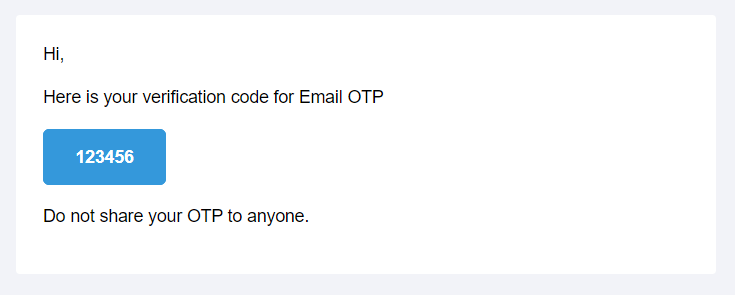 |
| v2 | 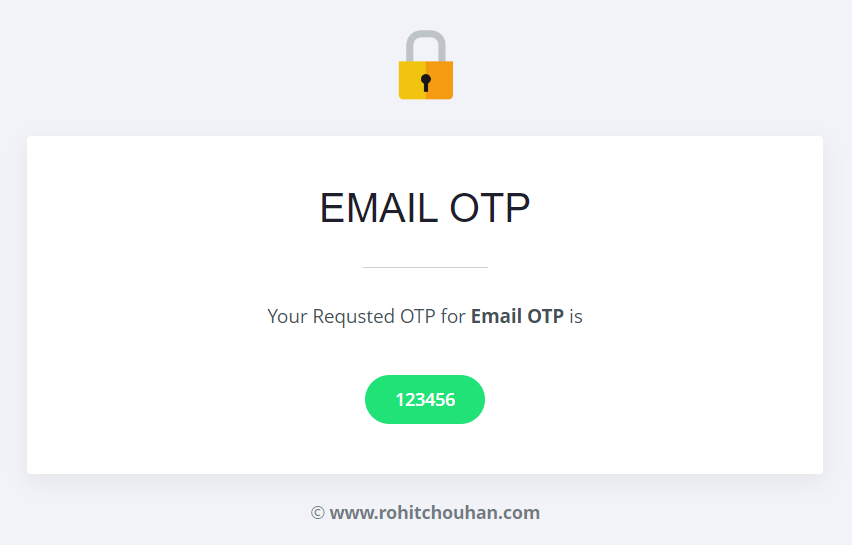 |
| v3 | 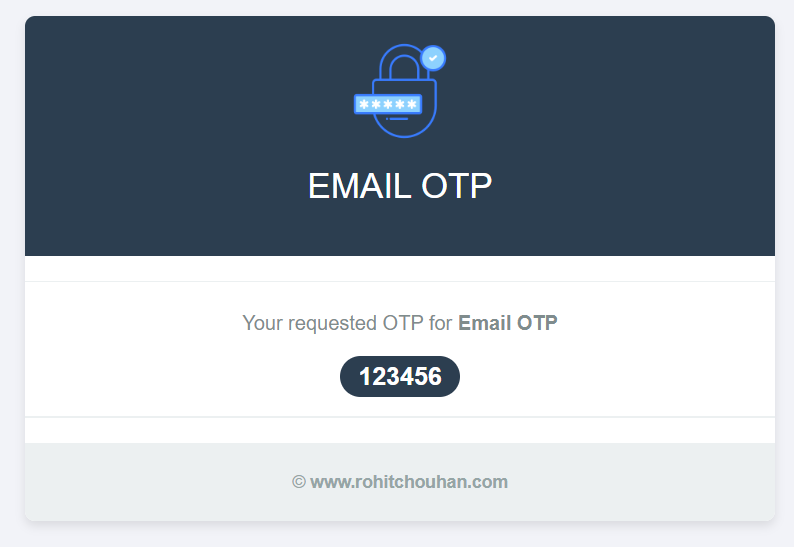 |
‣ Sending and Verifying OTPs
Use the following methods to send and verify OTPs:
‣ Sending OTP
await myAuth.sendOTP();
‣ Verifying OTP
var inputOTP = 987654; // OTP entered by the client after receiving the email
await myAuth.verifyOTP(
    otp: inputOTP
);
‣ Complete Example
Find a complete example in the Email OTP package documentation.
‣ Reporting Bugs or Issues
Feel free to open a ticket on GitHub if you encounter any problems. We also welcome new ideas and suggestions.
‣ Copyright and License
Copyright © 2023 Rohit Chouhan. Licensed under the MIT LICENSE.